Websites & eCommerce
Web design and development services for fast, scalable websites
Web design and development is the process of planning, designing, building and launching a website. Qovex Studio designs and builds business websites, ecommerce stores and web applications in the 9 phases enterprise teams follow, with SEO, accessibility and Core Web Vitals built in from the first wireframe.
Web design vs web development
Design and development are 2 disciplines with different outputs, tools and skills. Every successful website needs both, working from the same plan.
- Focus
- Web design: How the website looks, reads and guides visitors
- Web development: How the website works, loads and connects
- Deliverables
- Web design: Sitemap, wireframes, UI design, design system, prototype
- Web development: Code, CMS, integrations, hosting, deployments
- Core skills
- Web design: UX research, information architecture, typography, interaction
- Web development: HTML, CSS, JavaScript, TypeScript, PHP, Python, SQL
- Main tools
- Web design: Figma, FigJam, Storybook
- Web development: VS Code, Git, GitHub, Docker
- Roles
- Web design: UX designer, UI designer, content designer
- Web development: Front-end, back-end, full-stack and DevOps engineers
- Measured by
- Web design: Task success, usability scores, conversion rate
- Web development: Core Web Vitals, uptime, error rate, release speed
Websites we design and build
Every type of website follows the same phased process, sized to its goals and complexity.
Business websites
Corporate and service websites that explain what you do and turn visitors into enquiries.
Landing pages
Focused pages for campaigns and launches with one audience, one offer and one action.
Ecommerce stores
Shopify, WooCommerce and headless stores with fast product pages and simple checkouts.
WordPress websites
Custom themes and block editors your team can update without a developer.
Web applications
Portals, dashboards and SaaS products with accounts, data and integrations.
Headless websites
A headless CMS with a modern front-end for speed, security and multi-channel content.
Progressive web apps
Installable websites that work offline and load like native apps.
Redesigns and migrations
New design or platform with every URL redirected and every ranking protected.
Multilingual and multi-site
Several languages, regions or brands managed from one platform with hreflang.
Every way to build a website, compared
There are 8 main ways to build a website. The table compares them on speed to launch, flexibility, performance and the stack each one uses.
No single approach wins everywhere. A marketing site with frequent content changes suits a CMS or a headless build, a store suits an ecommerce platform, and a product with accounts and data needs custom development. We recommend the approach after discovery, not before.
Rendering strategies: how pages reach the browser
The rendering strategy decides how fast a page appears and how easily search engines read it. Each page type gets the strategy that fits it.
Static site generation (SSG) builds pages once at deploy time. It suits content that changes daily or less, and it loads fastest.
Server-side rendering (SSR) builds each page on request. It suits personalised or constantly changing content.
Client-side rendering (CSR) builds the page in the browser with JavaScript. It suits logged-in apps, never pages that must rank.
Incremental static regeneration (ISR) serves static pages and rebuilds them in the background when content changes.
Edge rendering runs server code in data centres close to the visitor, on networks such as Cloudflare.
This website, for example, uses static generation on Cloudflare’s edge network, with server code only for forms.
- Content freshness: how often it changes
- SEO needs: must the page rank?
- Personalisation and logged-in areas
- Hosting cost and traffic peaks
- Core Web Vitals targets per template
Languages and frameworks we build with
We choose the stack for the job, not the job for the stack. These are the technologies our team works with every week.
30 tools
Languages · Front-end · Back-end · CMS and commerce · Databases
Languages
- HTML5Semantic markup that search engines and screen readers understand.
- CSSLayouts, animation and responsive design.
- JavaScriptInteractivity in the browser and on the server.
- TypeScriptTyped JavaScript for large, maintainable codebases.
- PHPThe language behind WordPress, WooCommerce and Laravel.
- PythonBack-ends, automation and data processing.
Front-end
- ReactComponent-based interfaces and web apps.
- Next.jsReact framework with SSG, SSR and ISR.
- AstroContent-first framework that ships minimal JavaScript.
- Vue.jsProgressive framework for interfaces.
- NuxtVue framework with server rendering.
- SvelteCompiled components with a small runtime.
- Tailwind CSSUtility-first styling and design tokens.
- GSAPHigh-performance animation.
Back-end
- Node.jsJavaScript servers, APIs and tooling.
- LaravelPHP framework for custom applications.
- DjangoPython framework for data-driven platforms.
- GraphQLFlexible APIs for headless front-ends.
CMS and commerce
- WordPressThe CMS behind over 40% of all websites.
- WooCommerceEcommerce inside WordPress.
- ShopifyHosted ecommerce with custom themes and apps.
- WebflowVisual development for marketing sites.
- SanityStructured headless content.
- ContentfulEnterprise headless CMS.
- StrapiOpen-source headless CMS.
Databases
- MySQLRelational database for CMS and commerce.
- PostgreSQLRelational database for complex applications.
- MongoDBDocument database for flexible data.
- RedisCaching, sessions and queues.
- SupabasePostgres with authentication and storage.
The 9 phases enterprise teams follow
Our process combines the Double Diamond design framework (discover, define, develop, deliver) with agile development in 2-week sprints, the model used by large product teams.
- 01
Discovery and research
Stakeholder interviews, analytics review, competitor research and an SEO audit of the current site.
Discovery report and requirements
- 02
Information architecture
Sitemap, user flows, content model and the URL plan, mapped to search demand.
Sitemap and content model
- 03
UX design and wireframes
Page layouts and user journeys tested in low fidelity before any visual design.
Clickable wireframes
- 04
UI design and design system
Typography, colour tokens and reusable components that keep every page consistent.
Figma design system
- 05
Prototype and usability testing
Real users complete real tasks. Testing with 5 users finds about 85% of usability problems, according to Nielsen Norman Group.
Usability test report
- 06
Development in sprints
Front-end, back-end, CMS and integrations built in 2-week sprints with code review and continuous integration.
Staging website
- 07
QA and testing
Functional, cross-browser, device, accessibility, performance and security testing against agreed quality gates.
QA and accessibility report
- 08
Launch
DNS, SSL, 301 redirects, analytics, Search Console and uptime monitoring, checked against a launch list.
Live website and launch checklist
- 09
Support and optimisation
Updates, backups, security patches and conversion improvements based on real data.
Monthly performance report
Quality gates every build must pass
A website launches when it meets measurable targets, not when it looks finished.
Performance
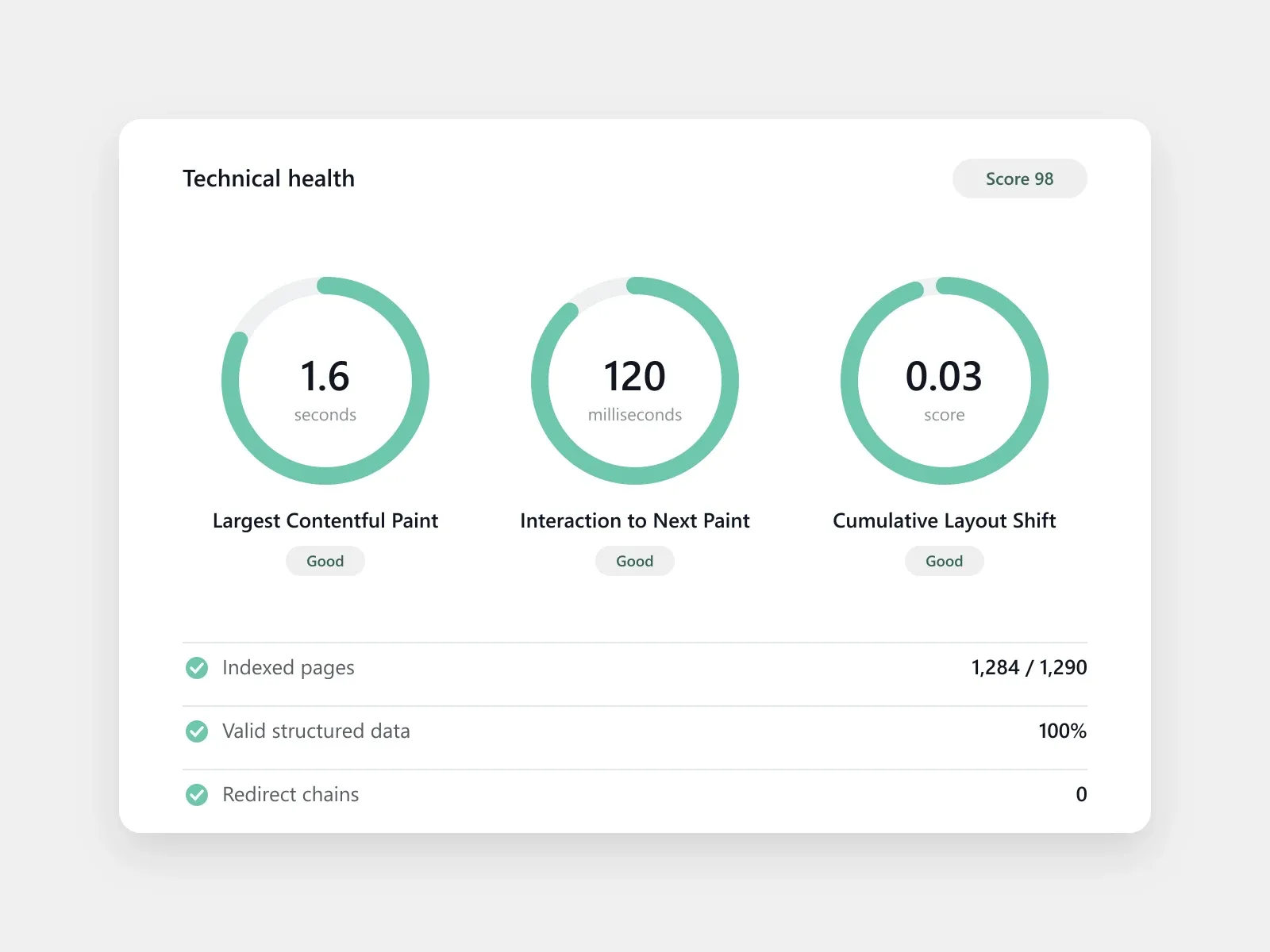
- Largest Contentful Paint ≤ 2.5 s
- Interaction to Next Paint ≤ 200 ms
- Cumulative Layout Shift ≤ 0.1
- Images in WebP or AVIF, lazy-loaded
Accessibility
- WCAG 2.2 level AA
- Text contrast of at least 4.5:1
- Full keyboard navigation
- Screen-reader tested forms
SEO
- One H1 and logical headings
- Structured data validated
- XML sitemap and robots.txt
- Redirect map for every old URL
Security
- HTTPS with HSTS
- Security headers configured
- Dependencies patched
- Daily backups and version control
Tools we design, ship and monitor with
Every project runs on the same toolchain, from the first Figma frame to production monitoring.
22 tools
Design · Code and delivery · Hosting · Testing · Monitoring · Project management
Design
- FigmaWireframes, UI design, prototypes and design systems.
- StorybookComponent library shared by designers and developers.
Code and delivery
- GitVersion control for every line of code.
- GitHubCode review, pull requests and issues.
- GitHub ActionsAutomated tests and deployments.
- DockerIdentical environments from laptop to server.
- VS CodeThe editor our developers write in.
Hosting
- CloudflareEdge hosting, CDN, DNS and security.
- VercelHosting for Next.js and front-end frameworks.
- NetlifyHosting for static and Jamstack sites.
- AWSCloud infrastructure for custom applications.
Testing
- JestUnit tests for JavaScript and TypeScript.
- CypressEnd-to-end tests of real user journeys.
- PlaywrightCross-browser end-to-end testing.
- PostmanAPI design and testing.
- LighthousePerformance, accessibility and SEO audits.
Monitoring
- SentryError tracking in production.
- Google AnalyticsTraffic, conversions and user journeys.
- Google Tag ManagerTracking without code releases.
- Google Search ConsoleIndexing, queries and Core Web Vitals.
Project management
- JiraSprints, tickets and release planning.
- NotionSpecifications, documentation and decisions.
SEO and AI search built into every build
A redesign must not cost you rankings. Search is part of the build, not a task after launch.
We map every old URL to its new address with 301 redirects, keep the content that already ranks, and build templates with semantic HTML, structured data and fast Core Web Vitals. Each page gets one clear job in your topical map, so search engines and AI answer engines understand the site from day one.
- 301 redirect map for every URL
- Semantic HTML and one H1 per page
- Schema for organisation, services and FAQs
- XML sitemap, robots.txt and canonicals
- Core Web Vitals in the green
- Search Console and analytics set up
Ways to work with us
Pick the model that fits your team, budget and timeline.
Full website project
Discovery to launch, delivered as one fixed-scope project.
Design only
UX, UI and a Figma design system your developers can build from.
Development only
We build from your designs, pixel-accurate and accessible.
Redesign and migration
New design or platform with rankings, content and data preserved.
Dedicated team
Designers and developers working in your sprints, month by month.
Care and maintenance
Updates, backups, security monitoring and small improvements.
What we never do
The shortcuts that make websites cheap to build and expensive to own.
Build shortcuts we refuse
- Launching without a redirect map
- Skipping accessibility testing
- Shipping without staging or code review
- Hard-coding content editors need to change
- Bloated themes and unused plugins
Ownership traps we avoid
- Nulled or unlicensed themes and plugins
- Templates sold as custom design
- Holding back admin access or code
- Hosting you cannot move away from
- No backups and no version control
Plan your website with a team that ships
Tell us what you need to build. We will reply with the right approach, a phased plan and a realistic timeline.
Frequently asked questions about Web Design & Development
What is the difference between web design and web development?
Web design decides how a website looks, reads and guides visitors. Web development writes the code that makes it work: the front-end interface, the back-end server and database, and the integrations between them.
How much does a website cost?
Website cost depends on the number of templates, custom features, integrations, content and the build approach. A template-based site costs far less than a custom web application. We quote from a phased plan after discovery.
How long does it take to build a website?
A business website typically takes 6 to 12 weeks from discovery to launch. Ecommerce stores and web applications take longer, depending on integrations, content and the number of review rounds.
Which platform is best for my website?
The best platform depends on who edits the content, how often it changes, the features you need and your performance targets. We compare WordPress, Shopify, Webflow, headless and custom builds during discovery.
Do you use templates or custom design?
Every Qovex Studio website is designed from your brand and your users’ tasks, then built as reusable components. We do not resell purchased templates as custom design.
Will I lose my rankings after a redesign?
No, when the migration is planned. We map every old URL to a new one with 301 redirects, keep ranking content, and monitor Search Console after launch.
Will my website be accessible?
Yes. We design and test to WCAG 2.2 level AA, including colour contrast, keyboard navigation, focus states and screen-reader labels.
What is a headless CMS?
A headless CMS stores content and delivers it through an API to any front-end, such as a website, an app or a kiosk. It separates content editing from presentation for speed, security and flexibility.
Which programming languages do you use?
We work with HTML, CSS, JavaScript, TypeScript, PHP and Python, using frameworks such as React, Next.js, Astro, Vue, Laravel and Django.
Who owns the website and the code?
You do. You receive full admin access, the source code in your own repository, and every licence in your name.
Do you provide hosting and maintenance?
Yes. We set up hosting on platforms such as Cloudflare, Vercel or your own servers, and offer care plans with updates, backups and security monitoring.
Can you work with our in-house team?
Yes. We can deliver design only, development only, or join your sprints as a dedicated team using your tools and workflows.